

How to find and fix broken links on your website

Broken links are not only frustrating for your visitors, they can negatively impact your search engine ranking. Luckily, there’s a really simple way to find and fix them so you don’t end up with dead ends on your site.

What are broken links and why fix them?
A broken link is a link on a website that no longer works. This can be due to the page being moved, deleted, or the URL being edited.
User experience issues aside, broken links can also negatively impact your website’s SEO. Search engines use links to crawl and index websites, so if there are too many broken links on your site, it could hurt your ranking. So fixing any broken links is important for both usability and SEO purposes.
The benefits of fixing broken links
You know how frustrating it is when we click on a link and it leads to a dead end. Not only is it a waste of time, but it can be damaging to your reputation. If a potential customer is ready to buy but the checkout link doesn’t work, they may not contact you, they may just go and spend their money elsewhere.
Fixing broken links is actually really easy to do and it will improve your website’s SEO ranking. Google (and other search engines) favour websites that are well maintained, and fixing broken links is a good indicator that your site is up-to-date.
How to find broken links on your website
You can find broken links on your website using free online tools like BrokenLinkCheck.com.
Simply enter your website URL and click “Find broken links now!” The tool will scan your website and report any broken links it finds.
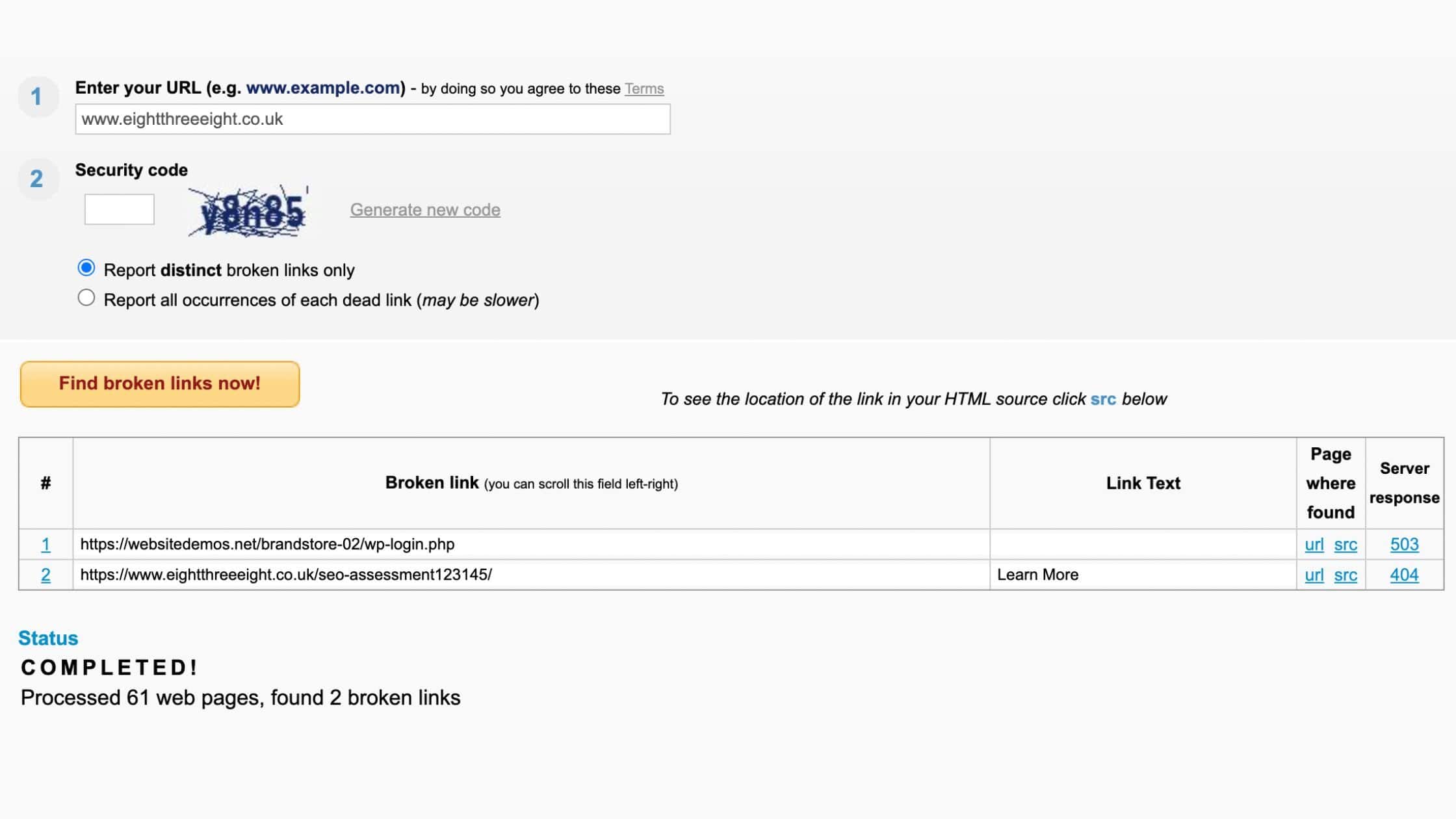
Once you know which links are broken, you can either delete them or update them with working links.
With Broken Link Check it links the page where the broken link lives, which saves you looking for them.
And that really is all there is to it. I told you it was simple!
Your Challenge: Use Online Broken Link Checker to find the broken links on your website and fix them.
Need help? Let’s chat! Whether you’re ready for a complete rebuild or just need a little guidance, I’m here to make your website the best it can be.


