5 Things I’d Do Today If I Were Starting SEO From Scratch

Running a business is exhausting enough without having to do all the other stuff on top like social media, networking, updating your website, so I completely get it if when you see people throwing around acronyms like “SEO”, “GEO”, “AISEO”, it makes you want to close your laptop and walk away…I’m in this space and I want to do the same!!
But if you’ve had your website up and running for a while and you’re still relying entirely on being a full time content creator on Instagram or word-of-mouth to get clients, you are leaving money on the table.
…and sidenote, GEO, AISEO, AIO, LLMO and all those other tech bro terms are just SEO.
If I had to start from zero tomorrow, here is exactly what I’d do to get my website found.
The great news is, even if you are only just starting to actively optimise your website for search engines (and AI recommendations) from scratch, if your website has been sitting there for a bit, you actually have a head start. Search engines trust established websites. They already know you exist; you just haven’t properly introduced yourself yet.
Think of your website like a physical shop in the town centre. Right now, your shop is fully stocked and looks gorgeous inside. But there’s no sign above the door, the windows are tinted and the door is boarded up…not very appealing.
Let’s change that!
1. Tell Search Engines You Actually Exist
Yes, I know I just said they know you exist, but unfortunately that doesn’t magically mean you’ll show up when someone searches for you. Existing and being recommended are two very different things.

IIf you only have the capacity to do one thing this month, do this.
Once your site is connected, it becomes the closest thing you’ll get to a backstage pass. You can see the search terms your site is showing up for, how often people are clicking through and which of your pages it can show. It’ll also flag problems before they tank your traffic such as pages it can’t see properly or security warnings.
Google Search Console
We’ll start with Google Search Console, but we absolutely cannot ignore Bing, because Bing currently powers most of the AI search tools – ChatGPT Search, Microsoft’s own Copilot and DuckDuckGo all pull from it. So if you want a chance of showing up in AI answers, being in Bing’s index is worth the extra two minutes set up time.
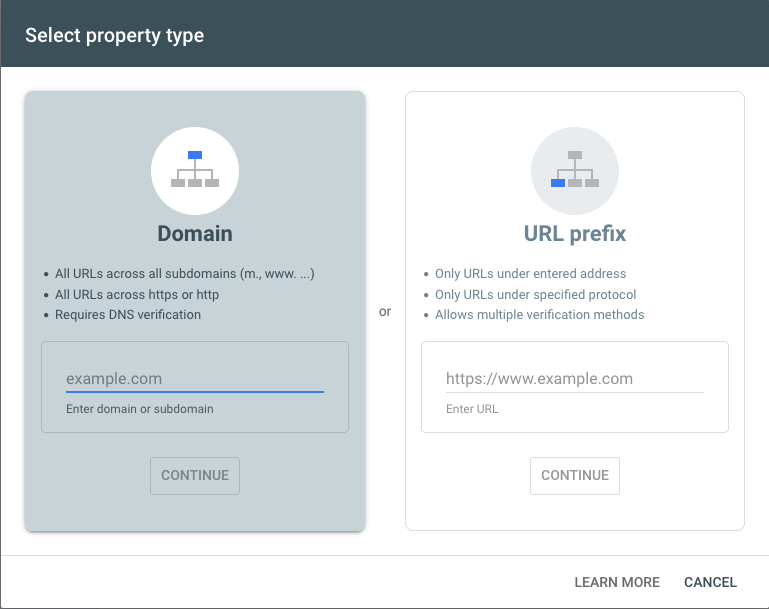
Setting it up is straightforward, search for “Google Search Console,” log in with your normal Google account, and follow the prompts to “add a property.” If you use a platform like Shopify, Wix, Squarespace or WordPress, there’s usually a built-in option to verify in your website’s main settings.
Bing Webmaster Tools
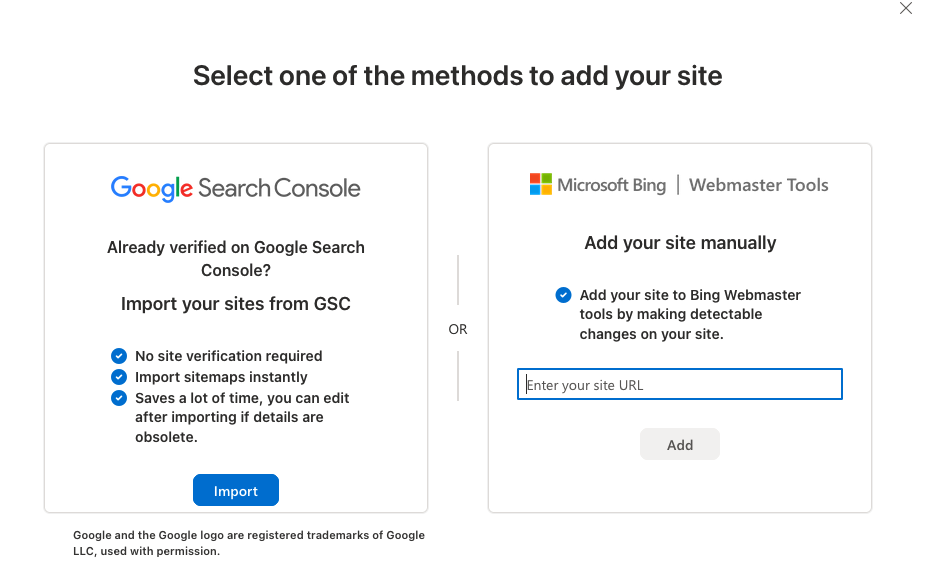
Go to Bing Webmaster Tools and now you’ve set up Google, you don’t have to set Bing up from scratch. Once you are logged in, there is a button that says “Import from Google Search Console.” Click that and it’ll bring your site verification and your sitemap (the list of pages you want search engines to crawl) straight across, so Bing already knows where to look.
Two free tools, one brew and less than half an hour – you’ve done the biggest step.
2. Find The Words Your Clients Are Actually Using
Before you rewrite a single word on your website, you need to know what your ideal client is actually typing into the search bar. As business owners, we tend to describe what we do in lovely, fancy industry language to elevate the experience, but often nobody else will use those words or phrases.
If you call yourself a “bespoke holistic transformation architect” but your client is searching for “life coach for women in their 40s” search engines will never connect the two of you. You can be brilliant at what you do, but if you and your client aren’t speaking the same language, you may as well be shouting into the void.
So time for cuppa number 2. Stick the kettle on and write down 5 to 10 phrases someone would logically type into a search bar to find a service like yours.
Now let’s turn to the best free research tool – Google itself. Start typing a phrase someone might use to find you into the search bar and before pressing enter, watch what Google suggests in the dropdown. Those are real searches real people are making, so add those to your list.
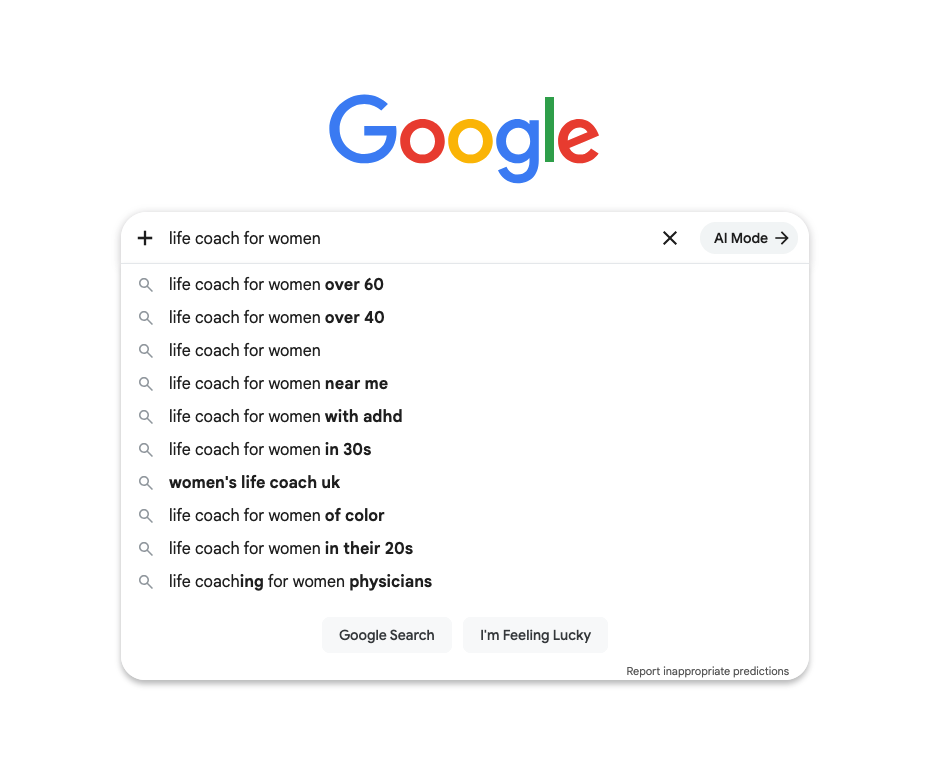
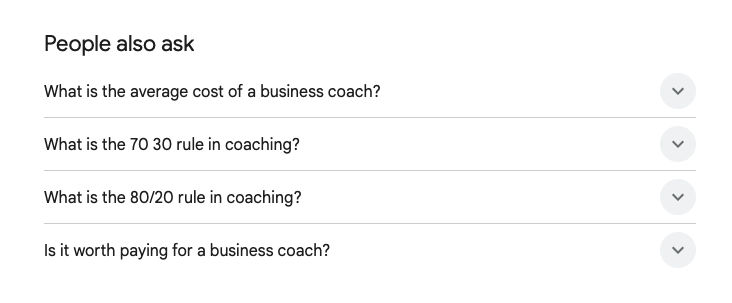
Now either press enter on your original search term, or pick one of the suggested ones. Scroll to find the “people also ask” box for the actual questions your potential clients are typing in.
Click any of the questions that look relevant and Google will suggest more.
Finally, scroll to the very bottom of the results page for “related searches”.
You’ll spot patterns in the language they use that you’d never have come up with yourself.
Keep that list close, you’ll need it in a minute.
3. Rewrite Your Page Title And Headings
Remember that list of phrases you just made? This is where they come in.
When you do a web search, the results are a list of clickable blue links. That blue link is called a “Title Tag,” and this does two jobs. It tells search engines what that page is about and it’s also the first thing a human sees before they decide whether to click…if Google hasn’t decided to reword it.
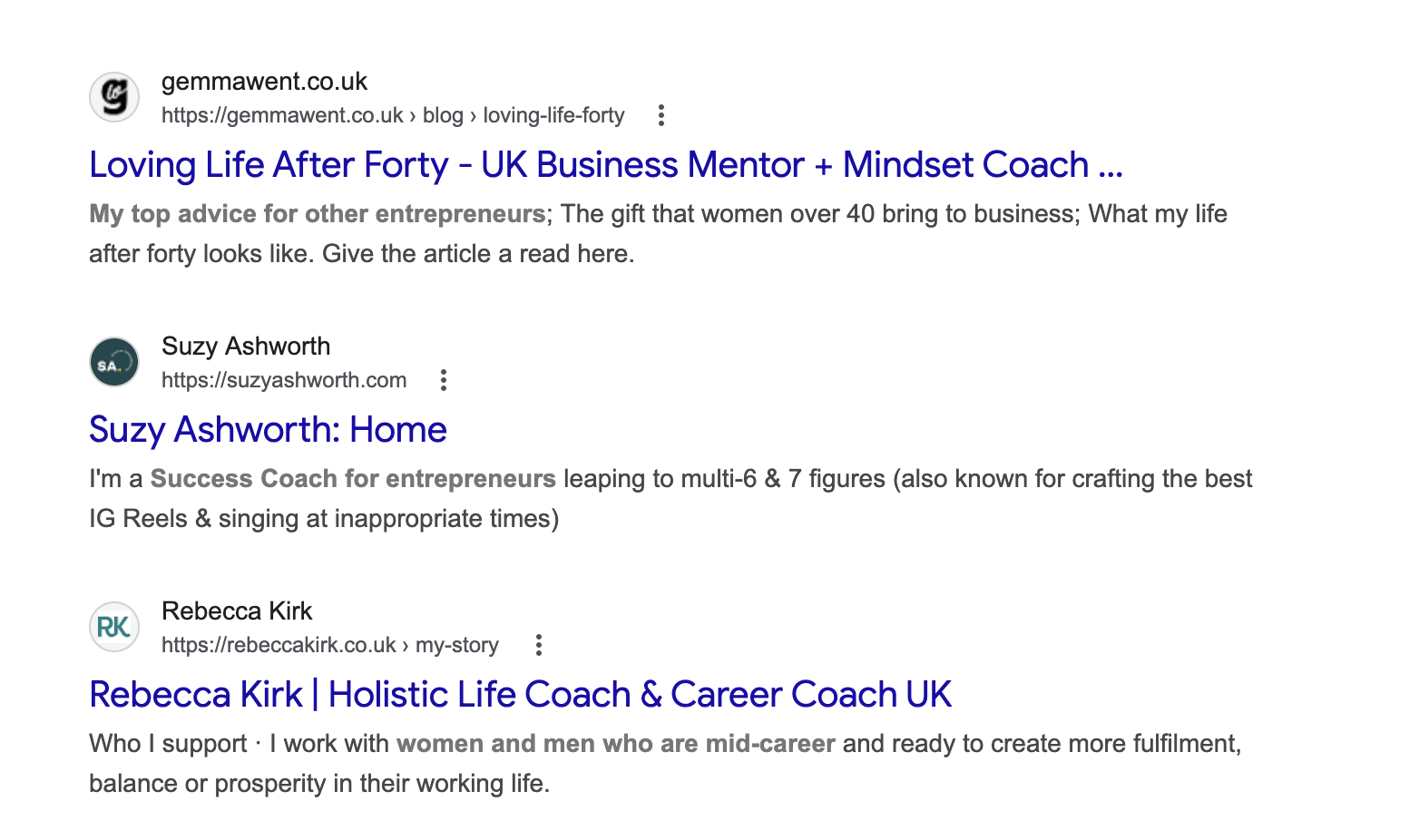
Right now, if you haven’t touched your website, your homepage title is probably just the word “Home” or the name of your business or website. Which is the digital equivalent of a shop sign that just says “Shop.” Technically accurate. Completely useless if someone wants to know more.
Start with just 1 page. Either a service page or your homepage. Go into your website editor and look for the SEO settings, where to find these depends entirely on your platform. If you’re using WordPress, I recommend using RankMath, which gives you a tidy box to edit your title tag for every page.
Change the page title to include the best phrase from your list, and your location if you have one. So instead of Home, change it to Life Coach for Women in their 40s | Sarah Lane Coaching. Same business, same website, but now anyone scanning a list of search results knows exactly what they’re going to get when they click. And so does Google.
While you’re in there, make sure the main heading on the page itself, the Heading 1, which is probably the big bold title right at the top, matches what you’ve written in the title tag.
Now for the rest of the words and phrases you found in step 2. Use these as your Heading 2s (H2) and Heading 3s (H3), the smaller section titles that break up the content further down the page, where they are relevant. Most website editors have a dropdown next to your text where you can label something as a Heading 2 or Heading 3. They tell search engines, AI and humans what each chunk of the page is about, so use natural language that reflects what each section actually covers.
Vague headings like “Our Approach” tell nobody anything. Something like “How I Work With Women Navigating Career Change” tells search engines, AI and visitors exactly what they’re about to read.
Don’t try to cram every phrase from your list into a page though, Google sees through that. Use them as a guide to the topics your page should cover, not as a checklist to tick off.
Once this page is sorted, plan to do the same for every other page on your site. Each one should have its own unique, descriptive title (and matching H1) that reflects what’s actually on that page.
4. Answer Your Clients’ Actual Questions
This is the bit that ties everything together for AI search.
Tools like ChatGPT Search, Perplexity, Google’s AI Overviews and Microsoft Copilot don’t just hand someone a list of links anymore. They read your actual sentences, pull out the answers and serve them up directly to whoever’s asking. If your site has clear, direct answers to the questions people are typing in, you’ve got a fighting chance of being the answer they get. If it doesn’t, they’ll pull from a competitor’s site instead.
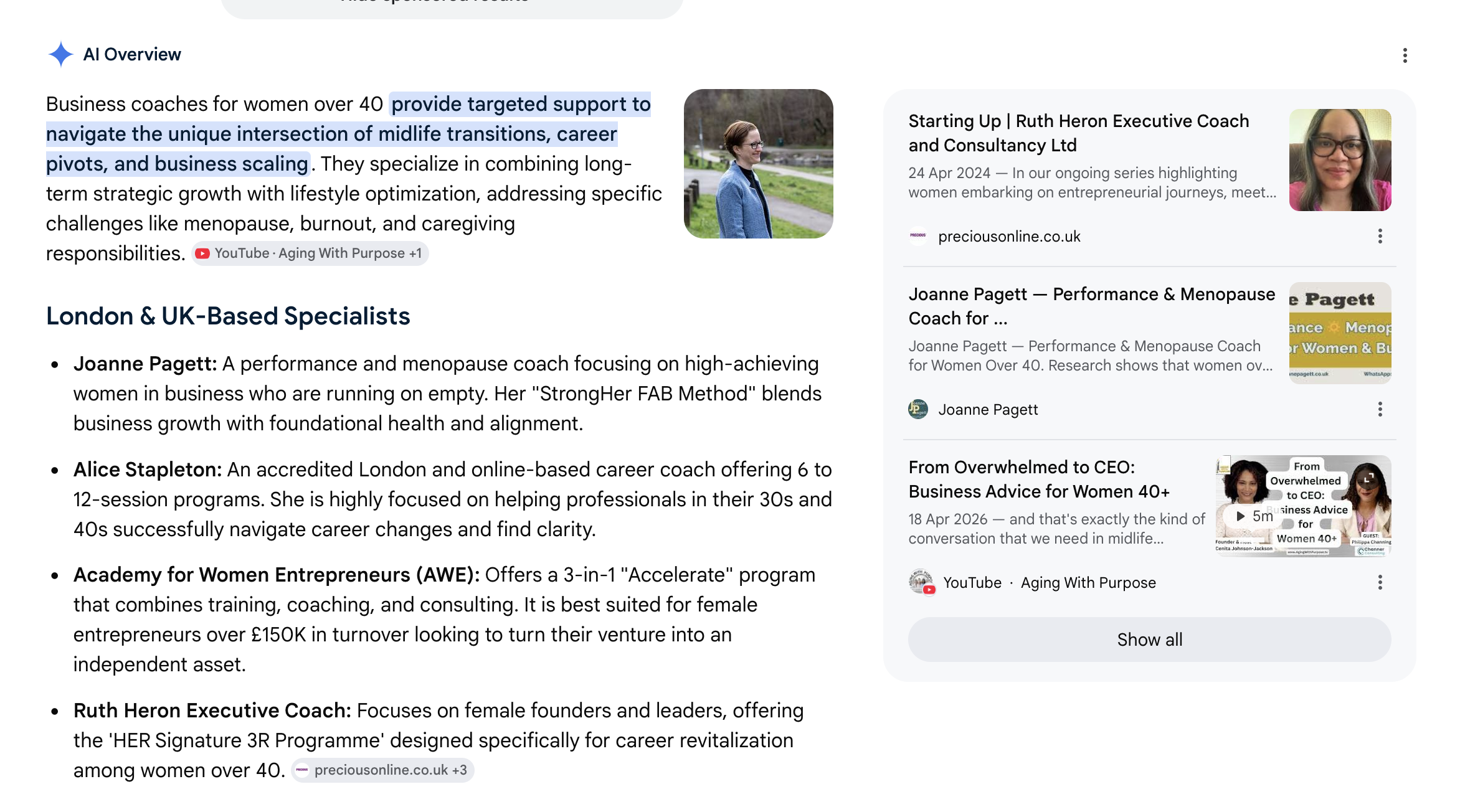
The easiest way to do this is a Frequently Asked Questions section on your page…but use actual questions. A good rule of thumb: if you’ve been asked the same question three times by three different people, it belongs in your FAQ.
If you don’t have any that you can think of, look through your last 5 enquiries. What questions did they ask? You might think the answer is obvious, but if someone has asked it, it’s clearly not. If you really do not have any, you can fall back on those “people also ask” questions from Step 2, since those are actual search terms.Write each one exactly as a client would ask it “How much does life coaching cost?” rather than “Pricing Information” and actually answer it directly in the first sentence, then add a bit of useful context if it helps. Do that and you’ll hit two jobs at once: give the AI something useful to work with and make the potential client reading it feel properly looked after.
5. Give Every Service Its Own Page
One thing I see often on service business websites is lumping everything onto one page called “Services” with a few bullet points and a “get in touch” button.
Search engines (and AI tools) don’t rank entire websites. They rank individual pages. And ranking one page for one thing is a whole lot easier than trying to rank one page for three or four services at once.
Each of your services probably appeals to a slightly different client, solves a slightly different problem and has a different price point. A single “Services” page trying to do all of that at the same time ends up ranking properly for none of them. The content has to keep switching topics to cover everything. Google has no idea what the page is actually about, so it doesn’t send much traffic to it at all.
Split it into separate focused pages, one per service, and suddenly each page has a clear job. One title tag, one H1, relevant other headings, an FAQ section, all speaking to one specific client and the specific problem they’re trying to solve. Each page now has a proper fighting chance of ranking, and the person landing on it sees a page that feels written for them, not a generic list they have to wade through.
Yes, it’s more work. But it’s the difference between having your ideal client find you and not showing up at all.
What To Do Next
You could absolutely tackle all five of these in one go if you’ve got the time and the headspace, there’s nothing here that will break anything and they all work together. But doing one of them properly is worth more than rattling through all five in an afternoon.
Rushed keyword research and vague FAQs will get you nowhere. Put the kettle on, pick a task, do it well and come back to the next bit when you’ve got brain space.
Google Search Console is the foundation everything else builds on, so if you do nothing else, do that one. You might also hear people talk about Google Analytics. Search Console shows you how people are finding you in search, Analytics shows you what they do once they land on your site. Both are worth having eventually, but for getting found in the first place, Search Console is the one.
Then work through one page at a time, starting with your most important service page, that’s where the easiest wins are. Save your homepage for when you’ve got the service pages sorted.
And one last thing, because it can get lost in all the talk of optimisation.
The person who actually books the call, pays the invoice and tells their friends about you isn’t an AI bot. They’re human. So don’t write for bots and AI, even if yours has a name, they’re still computers. Your ideal client is probably already a bit overwhelmed, a bit skeptical of spending money on your services and definitely doesn’t want to read corporate BS.
Write for them, not for the algorithm. Do that properly, and the algorithm tends to follow.